Strategy Visuals
Indicator visual elements configuration
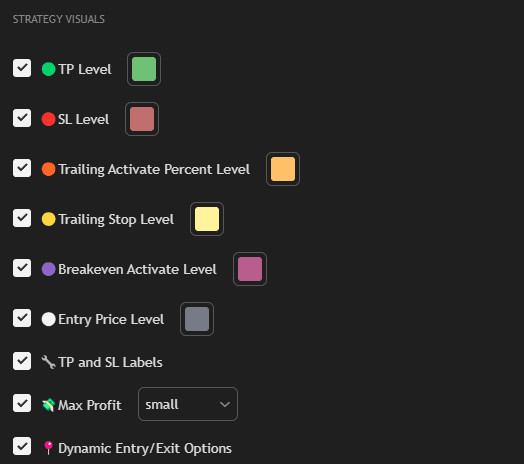
Settings
TP Level
Display TP levels.
SL Level
Display SL level.
Trailing Activate Percent Level
Display trailing stop activation level.
Trailing Stop Level
Display current trailing stop level.
Breakeven Activate Level
Display breakeven activation level.
Entry Price Level
Display entry point.
Info Table
Display analytics table (see Info Table section).
Table Size: Table size (tiny, small, normal, large, huge).
Table Position: Table position.
TP and SL Labels
Display TP/SL labels.
Max Profit
Display maximum profit in percentage.
Dynamic Entry/Exit Options
Display crosses for dynamic exits.
Recommendations
Configure visual elements according to your preferences:
- Enable all levels for full position control
- Use Info Table to track analytics
- Adjust table size depending on screen size