Date Limit
Limiting indicator operation by time range for strategy testing
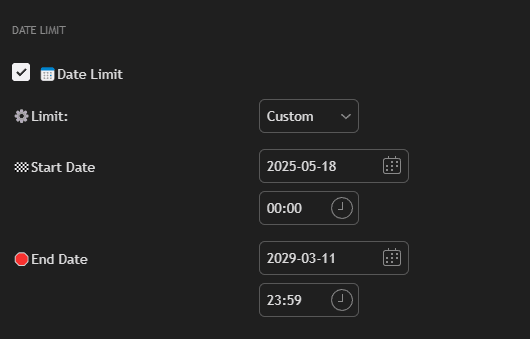
Settings
Check Box Date Limit
Enable date limitation.
Limit Type
Select the range type:
- Custom: Specify your own dates (e.g., from January 1, 2021 to December 31, 2100).
- 30/90/180 Days: Limitation to the last 30, 90, or 180 days.
- Year to Date: From the beginning of the current year.
Start Date
Range start date.
End Date
Range end date.
Usage
This function is especially useful for:
- Testing the strategy on historical data
- Analyzing performance on specific periods
- Comparing results on different time intervals
Tip: Use Date Limit to test the strategy on different periods to ensure its stability.